List Authors
A widget to display a list of authors in your WordPress blog. Includes options to enable/disable the features mentioned below. Version 1.2 is completely updated to use the new widget API and is multi-widget enabled. Fully XHTML compliant.
Screenshots

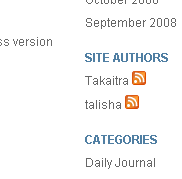
The List Authors widget showing the optional RSS feeds.

List Authors Configuration
Features
- Choose between an HTML list or comma-separated list.
- Can show number of published author posts.
- Allows administrator to be excluded from the list.
- Choose between displaying usernames or full names in the list.
- Allows users with 0 posts to be excluded from the list.
- Can include links to author-specific RSS feeds.
The List Authors plugin is hosted at wordpress.org. You can find the latest features list, installation instructions, and install file there.
Changelog
1.2
updated to use the new WordPress 2.8 widget API
added the HTML/comma-separated list dropdown
now multi-widget enabled
1.1.1
small fix to make the <img> tag for the RSS link XHTML compliant
1.1
initial release
Thanks for the update, works great. Is there a way to incorporate “the_excerpt” when clicking on an author’s post and only get “shortened” posts lists instead of the entire posts?
Cheers,
Gene
Correction; author’s link instead of post, sorry
@Gene
Hi Gene,
I’m glad the update is working well for you.
If I understand correctly, you want to click on the author’s name in the widget. This will bring you to a page showing excerpts of that author’s posts. Clicking on an excerpt will bring you to the full post.
This is outside the scope of the widget but I am pretty sure it can be done via some simple modifications to your WordPress template. Take a look at the template tag documentation under “Use With Conditional Tags.” The widget brings you to the author’s archive so replacing your the_content() tag in your template with their if-else statement should do the trick.
Matt-
Hey, I’m trying to reactivate my site and when I updated your plug-in it list all commentators as well. I just want authors listed. Is there a way to fix this?
Cheers,
Mike
Hi Mike,
Unfortunately this is a feature lacking from underlying core Wordpress code. See bug 9902. If the exclude parameter is added in a future release, I’ll make sure it also is added to the List Authors widget.
is there a way to exclude authors? I notice that even after a user has been demoted back to subscriber they still show up in the author list.
sweet dude.. where in your plugin sytax would i add code to call the authors avatar?
many thanks
@JoeDigital
Unfortunately no. See my response to killroy below.
Fantastic job! Works great with over 80 authors! However, I had a question. Since such a list is WAY too long for a sidebar, is there a way to generate the results on a page instead? For example, we have an authors page so it would be wonderful if we could use this same concept and process to auto-generate the same data but on that page instead of in the sidebar. Is this possible or does it require a great deal of coding?
We need a way to list all of our authors based on wordpress listing of user accounts. Including their avatar via gravatar would be awesome as well.
The plugin itself is tailored for use as a widget. However, you can make use of the underlying standard WordPress tag anywhere you like. Try going to Appearance > Editor and using the tag wp_list_authors on your page.
I am concerning about your plugin is going to be crazy in my website because what if I got 100 authors..That is going to be long scrolling down to the bottom of page. I want to have author list page but how… Do you know how to put author list in page instead of sidebar widget?
Check out http://www.justdeaf.com it is not look good right now.
Yes, I would like it on an author’s page as well… there are aren’t any good plug ins for that.
Jeff, I found a plugin for author list. It is called Profiler plugin. It is really cool! I modified it in few things. It is all good now.
Hi, I’ve set up the plugin but it renders the authors and RSS icons on different lines in different elements. Is there a way to fix that or is it something to do with my template? I want it to look the way you have it on this page.
@Tim
Hi Tim,
Please make sure “List Style” is selected in the widget options. If you are still having display issues, then I would check how your template and CSS are formatting your widgets. The plugin output is a standard unordered list and does not contain any line breaks.